Try the instagram collage maker


Square 1:1 — the classic Instagram collage.
How to make an Instagram collage
Pick 4:5 for a portrait Instagram collage, 1:1 for a square post or Story 9:16 for a Story, then add photos and choose a layout. Download a JPG and upload it in Instagram as a single photo. The same sizes work for other apps: 2:3 (the 4×6 print size) suits Pinterest pins.
- Instagram collage in 1:1, 4:5 and 9:16
- Save or share straight from your phone
- No watermark on your post
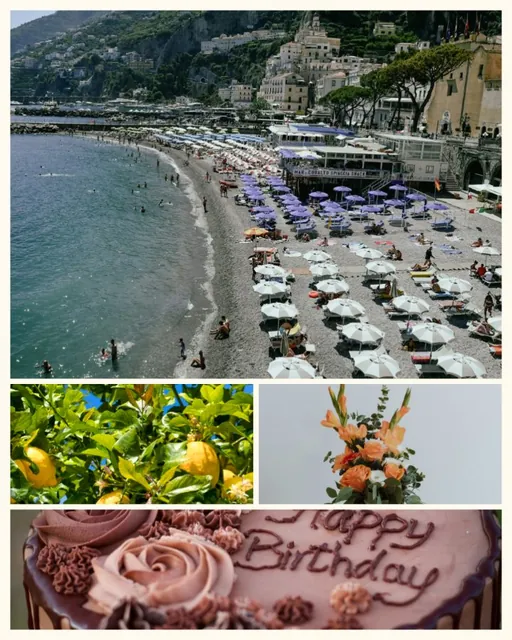
Make an Instagram collage
- Choose the formatChoose 1:1, 4:5 or Story 9:16 above the canvas.
- Add photos and a layoutAdd photos, then pick a grid, a featured-photo layout or a template.
- Keep text insideTurn on Show composition guide in Layout. On Story 9:16 it marks the top and bottom bands where Instagram shows the profile bar and reply bar, so keep words and faces out of them.
- Save and postDownload a JPG or use Save or share, then post the Instagram collage as one photo.
Which format should I use?
- 4:5 portrait — takes up more of the feed than a square post.
- 1:1 square — the classic post shape; nothing is trimmed in the feed.
- 9:16 Story — fills the screen; keep text away from the top and bottom, where Story controls appear.
Story size and safe area
A 9:16 Story fills the phone screen. At the default 3000 pixels an Instagram Story collage downloads at 1688×3000; at 4096 it is 2304×4096. Any 9:16 image, such as 1080×1920, fits a Story without cropping.
Instagram shows your profile name at the top of a Story and the reply bar at the bottom. On the Story size, the composition guide marks those two bands. They differ slightly between phones and app versions, so treat them as approximate. The guide never appears in the download.
Why post an Instagram collage
An Instagram collage puts a whole weekend in one post, so followers see every moment without swiping. An Instagram collage in 4:5 also takes more room in the feed than a square.
Quality tips
JPG is the best choice for posting. Instagram resizes and compresses uploads, so very fine text may soften; use a larger caption size for words.
Several photos, one post
A collage lets you share several moments as one image. To post a sequence people can swipe through instead, upload separate photos as a carousel in Instagram.
Instagram collage maker questions
Still stuck? Email support@collagemaker.org.
What size is an Instagram collage?
Use 1:1 for square posts, 4:5 for portrait posts and 9:16 for Stories. All three are available above the canvas.
Can I make an Instagram Story collage?
Yes. Choose Story 9:16, add photos and download. The composition guide marks the top and bottom areas to keep clear.
Where should I put text on an Instagram Story?
Keep words and faces away from the very top and bottom, where Instagram shows your profile name and the reply bar. On the Story size, turn on the composition guide to see those areas while you edit.
Will Instagram crop my collage?
Posts in 1:1 or 4:5 and Stories in 9:16 display at full shape. Other shapes may be cropped.
Is it free and without a watermark?
Yes, with no sign-up.
 Photo grid maker
 3×3 collage maker
 Wallpaper collage maker
 Combine photos