Try the heart collage maker












12 photos: the center frames show in full, and the outline trims the edges.
How to make a heart collage
Add 2 to 30 photos and this heart collage maker arranges them into a heart: rows of photos sized to the shape, with the outline trimming the edges. Drag one photo onto another to swap them, then download a PNG or JPG up to 4096 pixels with no watermark. For a heart with no background at all, choose Transparent in Background and download a PNG.
Price: Free — no account, no watermark, nothing to buy.
- 2–30 photos arranged in a heart
- See which spots show photos in full
- Transparent PNG for cards

Make a heart photo collage in four steps
- Add photosTap Add photos and choose 2 to 30 photos. The heart collage fills as soon as two are in.
- Put favorites in the centerPhotos fill the heart row by row from the top. Press and hold a photo and drag it onto another to swap them.
- Pick the lookChange the background color and spacing, or add words and heart stickers.
- DownloadTap Download for a PNG or JPG up to 4096 pixels, with no watermark.
Which spots in a heart collage show the whole photo
A heart is not a rectangle, so a heart collage trims the photos along its outline. We ran a mixed set through the layout code this page uses: alternating vertical and horizontal phone photos (3:4 and 4:3), at the default spacing. Calculated November 15, 2026.
| Photos | Per row, top down | Whole | Over half trimmed | Smallest photo |
|---|---|---|---|---|
| 4 | 2 · 2 | 0 | 0 | 1273 px |
| 6 | 3 · 3 | 0 | 2 | 843 px |
| 9 | 4 · 3 · 2 | 1 | 0 | 702 px |
| 12 | 3 · 4 · 3 · 2 | 3 | 0 | 618 px |
| 16 | 5 · 5 · 4 · 2 | 5 | 1 | 554 px |
| 20 | 5 · 5 · 4 · 4 · 2 | 7 | 3 | 488 px |
| 25 | 6 · 6 · 6 · 5 · 2 | 11 | 6 | 430 px |
| 30 | 6 · 6 · 6 · 6 · 4 · 2 | 14 | 4 | 400 px |
Whole counts the frames that sit completely inside the heart. Smallest photo is the short side of the smallest frame in a 3000 × 3000 download. Our advice: 9 or 12 photos make the cleanest heart. No frame loses more than half of its picture to the outline, and the smallest photo is still over 600 pixels across. With 6 photos, the two outer photos in the lower row lose more than half. From 16 photos, the dip between the two top curves trims more than half of the middle frame in the first row.
Put the best photos in the center
Photos go into the heart row by row from the top, in the order you add them. In the 12-photo heart collage above, the 3 frames in the center showed in full. The frame in the dip between the two top curves kept 56% of its picture, and the two frames at the bottom tip kept about half each. Put faces in the second and third rows, and save sky, flowers or patterns for the top center and the tip.
How much of the picture is heart
The heart covers 60.9% of the square it sits in. The rest is background, so the background color shows more in a heart collage than in a grid. A soft color close to your photos keeps the heart easy to read. A transparent PNG drops the background completely, which suits cards, stickers and printing on colored paper.
| Shape (Layout, then Shapes) | Share of the square |
|---|---|
| Circle | 78.4% |
| Hexagon | 64.9% |
| Heart | 60.9% |
| Diamond | 49.9% |
| Star | 31.6% |
A circle holds the most picture in the same square. A star holds about half as much as the heart.
Sizes for a heart collage
- Square: 3000 × 3000 by default and 4096 × 4096 at the largest. A 3000 × 3000 file prints a 10 × 10 inch square at 300 DPI.
- Portrait 4:5: the heart sits in the middle, with room above and below it for a title.
- Phone wallpaper: the heart sits in the middle of a tall 9:19.5 image, clear of the lock-screen clock.
Ideas for a heart collage
- Valentine’s Day or an anniversary: 12 photos of the two of you, with the best one in the center.
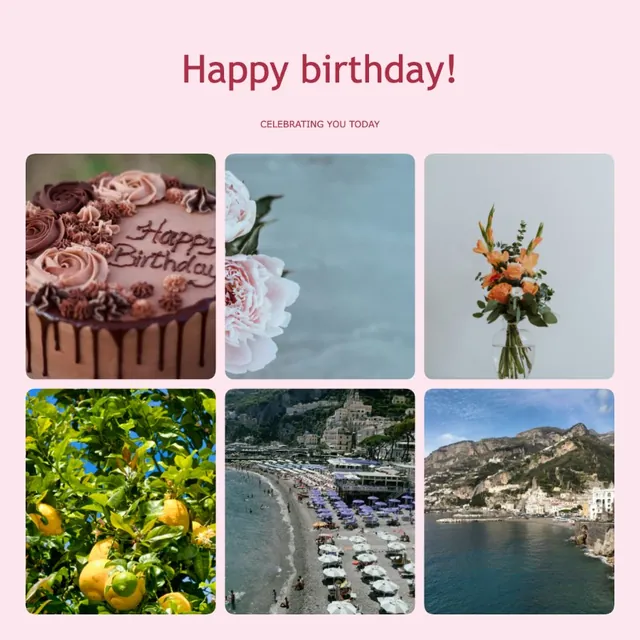
- A birthday: one photo for each year of a child’s life, up to 30.
- A memorial: calm photos on a soft background, with a name in the title.
- A gift print: a 10 × 10 inch square at 300 DPI.
Heart collage maker questions
Still stuck? Email support@collagemaker.org.
Is this heart collage maker free?
Yes. It is free, with no account, no watermark and nothing to buy. Photos are processed in your browser and are not uploaded.
How many photos do I need for a heart collage?
Two photos are enough to start, and the heart holds up to 30. In our measurements 9 or 12 photos looked cleanest: no frame lost more than half of its picture to the outline.
How do I make a heart shaped photo collage?
Add your photos on this page; the heart shape is already selected. Swap photos by dragging one onto another, pick a background and tap Download.
Why are some photos cut off in a heart collage?
The heart outline trims the frames along its edge, most at the dip between the two top curves and at the bottom tip. Photos in the center rows show in full, so put faces there.
Can I make a heart collage with a transparent background?
Yes. Open Background, choose Transparent and download a PNG. The area around the heart stays clear.
Can I change the heart to another shape?
Yes. Open Layout, then Shapes, and pick a circle, star, hexagon or diamond. Your photos move into the new shape.
Can I print a heart collage?
Yes. The square download is 3000 × 3000 pixels, which prints a 10 × 10 inch square at 300 DPI. Choose 4096 pixels under Size and format for a larger print.
 Love collage maker
 Birthday collage maker
 Memorial collage maker
 Printable collage maker