How to split a photo for an Instagram grid
- Add the photo for your Instagram grid. JPG, PNG, WebP or HEIC, up to 20 MB.
- Choose the grid. 3 × 3 makes nine posts, and 3 × 1, 3 × 2 and 3 × 4 are there too. Keep Portrait 3:4 for today’s profile grid.
- Move the photo if part of it falls outside the grid, then tap Split.
- Post in number order. Start with 1. Instagram puts the newest post at the top left of your profile, so the picture comes together when the last tile is up.
Why the tiles are 3:4
The Instagram grid on your profile shows every post as a 3:4 rectangle, cropped from the center. Source: Kapwing, “Instagram’s New Grid Layout: Size and Dimensions”, read November 15, 2026. A square tile in a 3:4 cell keeps 75% of its picture and loses a strip on each side, so the old square grids now look broken at the seams. Tiles cut at 3:4 show in full and line up again.
Which Instagram grid fits your photo
The whole grid has one shape, and your photo is cropped to it. We worked out how much of a normal phone photo ends up in each grid with this tool’s own code. Calculated November 15, 2026.
| Instagram grid | Whole picture | Vertical photo (3:4) used | Horizontal photo (4:3) used |
|---|---|---|---|
| 3 × 1, 3:4 tiles | 9:4 | 33.3% | 59.3% |
| 3 × 2, 3:4 tiles | 9:8 | 66.7% | 84.4% |
| 3 × 3, 3:4 tiles | 3:4 | 100% | 56.3% |
| 3 × 4, 3:4 tiles | 9:16 | 75.0% | 42.2% |
| 3 × 3, square tiles | 1:1 | 75.0% | 75.0% |
A vertical phone photo fills a 3 × 3 grid of 3:4 tiles exactly, with nothing cut off. For a horizontal photo, 3 × 2 keeps the most of it. A 9:16 image, such as a phone screenshot or a Story, fills 3 × 4 exactly.
How sharp the tiles are
Each Instagram grid tile is saved at 1080 × 1440 pixels (3:4) or 1080 × 1080 (square). A 12-megapixel phone photo is 3024 pixels across, so each column of a 3 × 3 grid gets 1008 pixels and the tile is enlarged by 7%, which is hard to see on a phone. A 3 × 4 grid crops the photo narrower, and its tiles are enlarged by 43%. A 48-megapixel photo has more pixels than any tile needs.
Seamless carousel
Choose Seamless carousel to cut a wide photo into 2 to 10 slides that join up as people swipe. Two 4:5 slides keep 83.3% of a horizontal phone photo. Five 4:5 slides make a 4:1 strip, so a wide panorama of that shape fits with nothing cut off. Slides are numbered left to right, the order to add them to the post.
What we measured
On November 15, 2026 we split a 12-megapixel HEIC photo from an iPhone (3024 × 4032) into a 3 × 3 Instagram grid, in a computer browser and in a phone-size window. Opening the photo took about 1.8 seconds and splitting it about 0.4 seconds. The ZIP held nine 1080 × 1440 JPG files, 1.8 MB in all. We put the nine tiles back together in posting order and compared them with the original photo: the average difference was 0.33 on a 0 to 255 scale, so the seams line up exactly.
Questions
Is this Instagram grid splitter free?
Yes. It is free, with no account, no watermark and nothing to buy.
Is my photo uploaded?
No. The photo is opened, split and packed into a ZIP inside your browser. Nothing is sent to our server.
What size are Instagram grid tiles?
1080 × 1440 pixels for 3:4 tiles, 1080 × 1080 for square tiles and 1080 × 1350 for 4:5 carousel slides, all saved as JPG.
In what order do I post an Instagram grid?
In number order, starting with 1. Tile 1 is the bottom right of the picture and the last tile is the top left, because Instagram shows the newest post first.
How do I save the tiles on a phone?
Tap Save all to Photos and save the images from the share sheet. Download all saves one ZIP file to Files or Downloads instead.
How do I split a photo into 9 for Instagram?
Add the photo, keep 3 × 3 and Portrait 3:4, tap Split into 9 tiles and post them in number order.
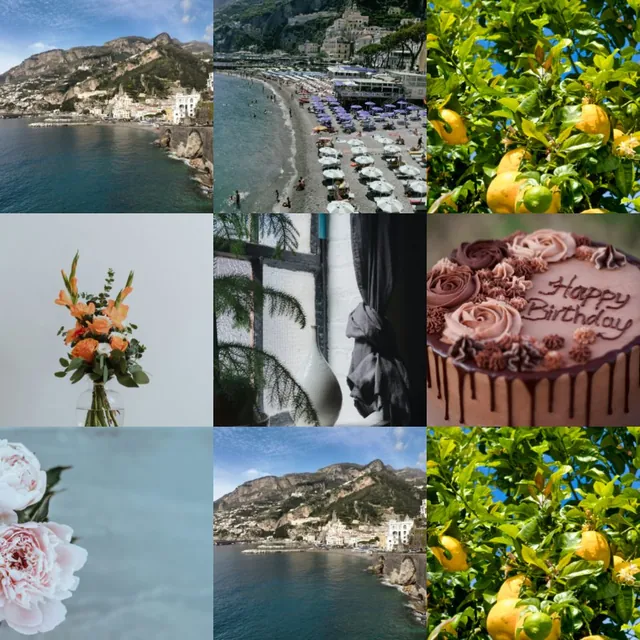
Want the opposite, nine photos in one square? Use the 3×3 collage maker.
 3×3 collage maker
 Instagram collage maker
 Collage on Instagram Story